
When we talk about using cloud computing for machine learning, we're essentially saying we're running our AI jobs on rented hardware instead of buying and managing our own. This gives us the elastic scalability and on-demand power needed to train complex models without the huge upfront cost, making it the go-to approach for modern AI development.
Why Cloud and AI Are a Perfect Match
Have you ever wondered why cloud computing and machine learning seem to be mentioned in the same breath all the time? Think of it like this: trying to build a supercar in a small home garage with a basic toolkit. You might end up with a decent go-kart, but a high-performance machine is completely out of the question.
The cloud is like a massive, state-of-the-art automotive factory. It offers unlimited space, specialized equipment, and all the raw power you could ever need, right when you need it.
This partnership is a game-changer because it eliminates the massive initial investment and headache of building a private data center. Instead of buying expensive servers and GPUs that might just gather dust most of the time, you can tap into top-tier resources exactly when you need them. This fundamental shift has made advanced AI accessible to everyone, from tiny startups to massive enterprises.
To put the core benefits into perspective, here's a quick summary of why this combination works so well.
Core Benefits of Using the Cloud for ML at a Glance
| Benefit | Description | Actionable Insight |
|---|---|---|
| On-Demand Power | Access immense computational resources, like hundreds of GPUs, instantly for training large models. | Action: For a complex NLP model, provision a multi-GPU instance for a few hours instead of waiting weeks on a local machine. |
| Cost Efficiency | Pay only for what you use, avoiding the high capital expenditure of purchasing and maintaining hardware. | Action: Use Spot Instances for non-critical training jobs to cut compute costs by up to 90%. |
| Elastic Scalability | Scale resources up for intensive tasks like training and down for less demanding ones like inference. | Action: Configure autoscaling on your deployment endpoint to handle traffic spikes during a product launch without manual intervention. |
| Accessibility | Democratizes AI by giving smaller teams and companies access to the same powerful tools as large corporations. | Action: A two-person startup can leverage a managed service like AWS SageMaker to build a production-ready system. |
| Managed Services | Providers offer specialized ML platforms that handle infrastructure management, so you can focus on building models. | Action: Let the platform manage OS patching and dependency management so your team can focus on feature engineering and model tuning. |
These advantages work together to create an environment where innovation can happen faster and more efficiently than ever before.
The Power of Elastic Scalability
The key advantage of using the cloud for ML is elastic scalability. Machine learning workloads are notoriously "bursty"—they demand a colossal amount of computing power for training but far less during inference or when they're idle. Cloud platforms are built for exactly this kind of up-and-down demand.
- Training Phase: You can spin up hundreds of powerful GPUs to train a deep learning model in a matter of hours, a process that might take weeks on local hardware.
- Inference Phase: Once the model is trained and deployed, you can scale back to just a few cost-effective instances to serve predictions to users.
- Experimentation: Need to test a new idea? You can quickly try out different hardware setups without any long-term commitment.
Actionable Insight: Before starting a large training run, conduct a small-scale experiment to estimate resource needs. Then, provision a large cluster for the exact duration required and set it to terminate automatically. This avoids runaway costs and aligns with the best practices for cloud cost optimization.
The image below gives you a sense of the immense, ready-to-use infrastructure that makes this kind of scalability possible.
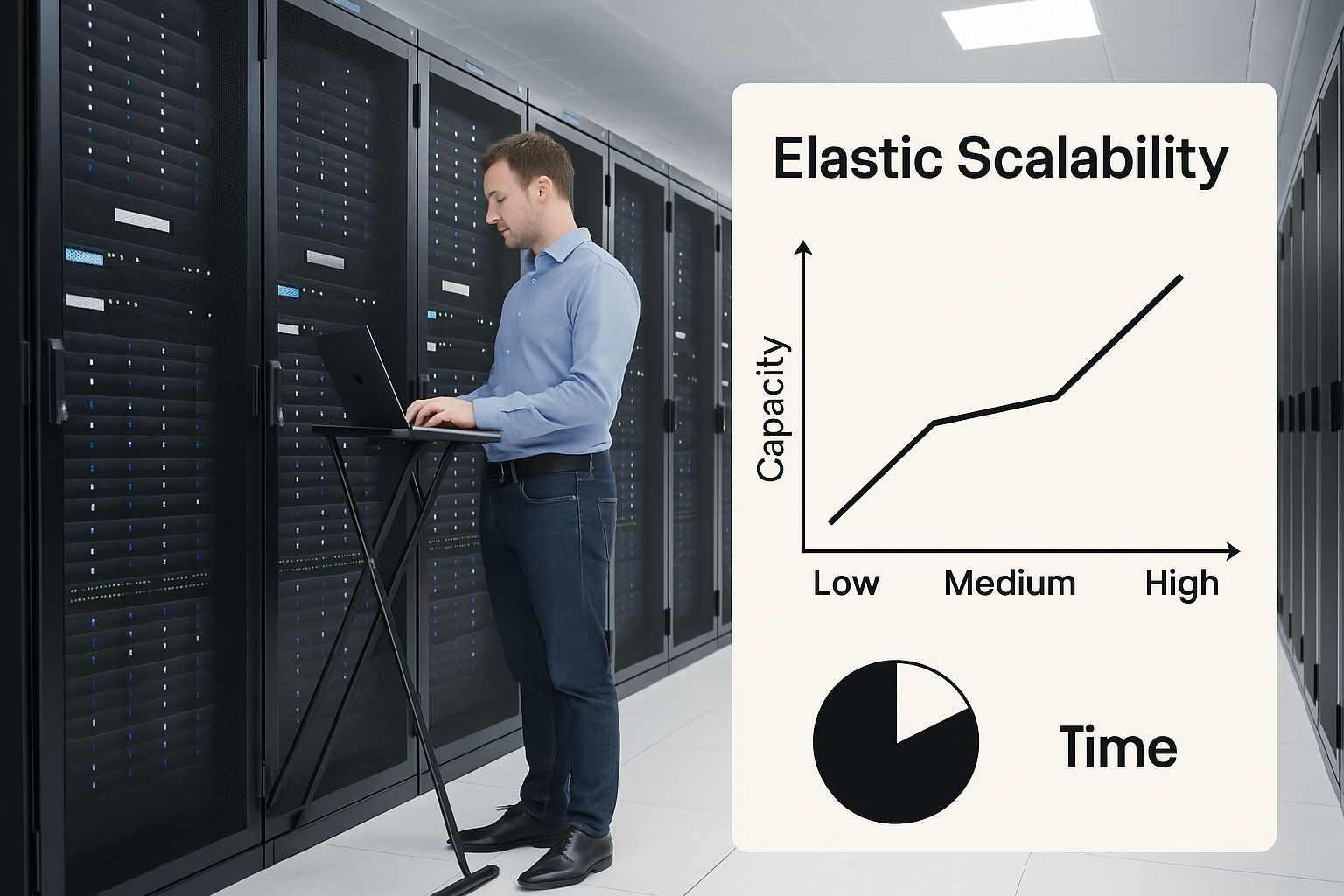
This visual captures the heart of cloud-powered ML: a vast, managed data center ready to handle the demanding, fluctuating workloads that AI requires.
Driving the AI Revolution
This dynamic partnership isn't just a fleeting trend; it's the engine powering the current AI boom. The market numbers tell the same story. The global machine learning market, valued at around $93.95 billion in 2025, is projected to explode to an incredible $1.4 trillion by 2034.
North America alone represents a significant piece of this, with a market size of about $30 billion. This staggering growth is directly fueled by the accessibility and raw power that cloud platforms bring to the table. This symbiotic relationship between AI and the cloud ensures that innovation keeps accelerating, making more advanced solutions possible for everyone.
Choosing Your Cloud ML Platform
Picking the right cloud provider for your machine learning work can feel like a huge commitment, but it doesn't have to be. Honestly, there’s no single "best" platform. The right choice is the one that clicks with your team's current skills, what your project is trying to achieve, and your company's existing tech stack.
Most of the time, the conversation boils down to the big three: Amazon Web Services (AWS), Microsoft Azure, and Google Cloud Platform (GCP). Each one has a powerful set of ML tools, but they all have their own personality and strengths. If you frame the decision around your real-world needs, you'll find the right fit.
AWS SageMaker: The All-In-One Toolkit
Amazon Web Services was the trailblazer in the cloud space, and that maturity really shows. Its flagship ML offering, AWS SageMaker, is designed to be a complete workbench for data scientists. It handles just about everything in the ML lifecycle, from labeling data all the way to deploying and monitoring models in production.
For teams that want a single, comprehensive ecosystem where everything just works together, SageMaker is often the go-to. It’s packed with a dizzying array of tools, pre-built algorithms, and infrastructure options that serve everyone from total beginners to seasoned experts.
Practical Example: A Retail Recommendation Engine
Imagine a small e-commerce startup building a product recommendation engine. The data science team is scrappy but knows their way around common frameworks like Scikit-learn and TensorFlow.
- They can use SageMaker Studio as their central hub for development.
- Data sitting in Amazon S3 is easily labeled using SageMaker Ground Truth.
- They can train a model using a built-in SageMaker algorithm or bring their own custom code.
- Deployment is the easy part—they can launch a real-time endpoint in a few clicks, and it comes with autoscaling to handle Black Friday traffic spikes.
This all-in-one workflow takes the pain out of MLOps. A small team can build and run a production-grade system without needing to be DevOps gurus.
Azure Machine Learning: Enterprise Integration and Trust
Microsoft's big advantage is its deep roots in the enterprise world. If your company runs on Office 365, Dynamics, or Active Directory, then Azure Machine Learning will feel right at home. It’s built from the ground up to integrate with the Microsoft ecosystem, with a heavy emphasis on security, governance, and responsible AI.
For organizations already in the Microsoft camp, Azure is often the path of least resistance. It also leans heavily into trust and compliance, holding certifications like ISO/IEC 42001:2023 that are critical for regulated industries.
Actionable Insight: If your company is a Microsoft shop, you can use Azure ML to build a model that predicts customer churn and directly integrate the results into a Dynamics 365 dashboard. This closes the loop between insight and business action without complex custom integrations.
Google Cloud AI: Raw Power and Data Integration
Google Cloud Platform grew out of the very infrastructure Google built to solve its own planet-scale data and AI challenges. That DNA is obvious in its ML services, which are famous for their raw power and cutting-edge features, especially when you're building models from scratch.
GCP’s standout feature is its slick integration with BigQuery, its serverless data warehouse. Combine that with access to specialized hardware like Tensor Processing Units (TPUs), and you have a powerhouse. As we've explored in discussions on DataNizant about modern data architecture, GCP's design creates a unified world for data and AI. This makes it the perfect playground for teams wrestling with enormous datasets or pioneering complex deep learning models.
Comparison of Leading Cloud ML Platforms
Seeing the platforms side-by-side can help clarify which one aligns best with your team's priorities. There's no wrong answer—only what's right for you.
| Feature | AWS SageMaker | Azure Machine Learning | Google Cloud AI |
|---|---|---|---|
| Best For | Teams seeking a mature, comprehensive, all-in-one ML platform. | Enterprises deeply integrated with the Microsoft ecosystem and focused on governance. | Teams needing cutting-edge AI, massive data integration (BigQuery), and custom hardware (TPUs). |
| Core Strength | The most extensive set of tools covering the entire ML lifecycle. Broadest market adoption. | Seamless integration with enterprise software (Office 365, etc.) and strong responsible AI frameworks. | Superior data analytics integration and powerful, specialized hardware for training. |
| Ease of Use | Great for both beginners (SageMaker Canvas) and experts (Studio). The huge number of services can be a bit overwhelming at first. | Very user-friendly interface (Azure ML Studio) with a drag-and-drop designer that’s great for business users. | Excellent for data scientists comfortable with notebooks and APIs. Strong AutoML offerings. |
| Ecosystem | The largest and most mature cloud ecosystem with a vast marketplace of third-party solutions. | Strong ties to Microsoft's extensive enterprise software portfolio. | Deeply integrated with Google's data services like BigQuery, Spanner, and Looker. |
Ultimately, the choice depends on your starting point. Are you building from scratch? Integrating into an existing enterprise? Or pushing the boundaries with massive data? Answering that will point you to the right cloud partner.
Architecting Your ML Pipeline in the Cloud

Talking about cloud platforms is one thing, but actually building on them is where the real work begins. It’s time to move from abstract concepts to actionable blueprints, because a well-designed architecture is the bedrock of any reliable and scalable ML system.
Instead of just listing services, let's walk through how to design a couple of common ML pipelines. Think of these as proven starting points that turn whiteboard diagrams into real-world applications. Once you understand the flow, you can adapt these patterns to your own projects.
Pattern 1: Batch Training for a Recommendation Engine
Imagine you're building a movie recommendation engine. It doesn't need to update every second; a weekly refresh with new viewing data is perfectly fine. This is a classic batch processing task, where the heavy lifting happens on a schedule, not in real-time. The architecture for this is surprisingly straightforward but incredibly powerful.
Here’s a common and effective blueprint for this scenario:
-
Data Ingestion and Storage: First, all user interaction data—clicks, views, ratings—is collected and dumped into a durable, low-cost object storage service like Amazon S3 or Google Cloud Storage (GCS). This becomes your central "data lake."
-
Scheduled Trigger: An automation service, like AWS EventBridge or Google Cloud Scheduler, kicks off the training job at a set time—say, every Sunday at midnight. This makes the entire process hands-off.
-
Managed Training Job: The trigger starts a managed training job using a service like AWS SageMaker Training or Google AI Platform Training. This is the magic part. The service automatically spins up the necessary compute instances (like powerful GPUs), runs your training script on the data from your lake, and—crucially—shuts the instances down when finished.
-
Model Registry and Deployment: Once the new model is trained, it gets saved to a model registry. From there, it’s deployed to a dedicated endpoint, ready to serve fresh recommendations to users for the next week.
This pattern is extremely cost-effective. You only pay for those beefy training instances for the few hours they are actually running.
Pattern 2: Real-Time Inference for Fraud Detection
Now, let's tackle a completely different challenge: a real-time fraud detection system for online payments. Here, speed is everything. You need a prediction in milliseconds, which calls for an architecture built for immediate response.
For this use case, a serverless approach is often the perfect fit.
Practical Example: An incoming payment from a mobile app sends a JSON payload to an Amazon API Gateway endpoint. This triggers an AWS Lambda function, which formats the data and invokes a SageMaker endpoint hosting a fraud detection model. The entire process takes under 200 milliseconds, and the user gets a near-instant "payment approved" message.
This real-time pattern involves a few key components working in perfect harmony:
- API Gateway: This is the front door for incoming transaction data. It securely receives the request from the payment system and routes it to the right backend service.
- Serverless Function: A service like AWS Lambda or Google Cloud Functions holds the business logic. It takes the transaction data from the API, formats it for the model, and sends it off for a prediction.
- Model Endpoint: The fraud detection model is deployed on a dedicated, low-latency endpoint. It receives the prepared data from the serverless function and returns a "fraud" or "not fraud" prediction almost instantly.
This architecture is incredibly scalable and efficient. It can handle one transaction a day or ten million without you lifting a finger, as the cloud provider automatically manages all the underlying infrastructure.
The Critical Role of a Feature Store
In both of these architectures, one component has become almost non-negotiable for any serious ML team: the feature store. Think of a feature store as a centralized repository that manages the data features used for both training models and serving predictions.
It solves a nasty problem known as training-serving skew. This happens when subtle differences in how features are calculated for training versus real-time inference creep in, which can seriously degrade your model's performance in the wild.
By ensuring consistency, a feature store acts as a single source of truth for your features. As you can explore in our guide to modern data architecture, building a solid data foundation is paramount. A feature store is a cornerstone of that foundation for any ML-driven organization.
Real-World Examples of Cloud ML in Action
Theory and platform comparisons are great, but nothing beats seeing how cloud computing for machine learning solves actual business problems. We're well past the "let's experiment" phase. Today, companies are using cloud ML to build a serious competitive edge. Let's look at how this is playing out in three different industries.
These aren't just tech showcases. Think of them as mini-case studies where the cloud provides the raw power needed to turn mountains of data into smart, valuable actions.
Healthcare Accelerates Diagnostics
The healthcare world is swimming in massive, sensitive datasets. Any technology adopted here has to be bulletproof, meeting strict compliance rules like HIPAA. This is where cloud platforms shine, offering secure, compliant sandboxes to run powerful ML models on medical data.
Diagnostic imaging is a perfect example. Radiologists are now using cloud-based ML tools to analyze MRIs, CT scans, and X-rays with more speed and precision than ever before.
- An ML model, trained on millions of expertly annotated images, gets deployed on a HIPAA-compliant cloud service.
- When a new scan is uploaded, the model can instantly flag potential problems—like tiny tumors or subtle fractures—that might be easy for the human eye to miss.
- This system doesn't replace doctors. It acts as an expert "second opinion," helping them prioritize the most critical cases and cut down on diagnostic errors.
Practical Example: A hospital uses a cloud platform to build a diabetic retinopathy detection model. When a patient's retinal scan is uploaded to a secure cloud storage bucket, it automatically triggers a model inference job. The result—a risk score—is sent back to the patient's electronic health record within minutes, allowing for faster intervention.
Finance Fights Fraud in Real Time
In finance, every millisecond counts. Whether you're executing a stock trade or blocking a bogus transaction, the ability to process data and get a prediction in an instant is absolutely critical. Cloud-native systems are tailor-made for this kind of high-stakes, low-latency work.
Take real-time fraud detection for credit card payments. Every single time you swipe your card, a complex chain of events kicks off behind the scenes.
- Your transaction data is streamed to a secure endpoint in the cloud.
- An ML model instantly analyzes hundreds of data points—the purchase amount, location, time of day, and your own spending history—all in a fraction of a second.
- The model spits out a risk score. If that score crosses a certain threshold, the transaction is immediately flagged or blocked.
This entire process hinges on the cloud's ability to deliver instantaneous, scalable inference power on demand. It also depends on rock-solid data pipelines to keep the model fed with fresh, up-to-the-minute information. Keeping those pipelines running smoothly is a discipline in itself; if you're curious, you can check out a great breakdown of the best data pipeline monitoring tools that are vital for these systems.
Retail Creates Personalization at Scale
For any retailer, understanding the customer is the name of the game. They use cloud ML to craft highly personalized shopping experiences that keep people engaged and drive sales. The most familiar example is the recommendation engine, which intelligently suggests products you might actually want to buy.
These engines are powered by sophisticated models that chew through your browsing history, past purchases, and what similar customers are doing. Training and running these models for millions of individual shoppers demands the kind of elastic resources that only the cloud can offer. The result is a dynamic, personalized storefront that feels like it was built just for you.
The move to the cloud for these tasks is already well underway. By 2025, industry data paints a clear picture of just how much businesses rely on cloud computing for machine learning. Healthcare leads the pack with 76% cloud adoption for AI diagnostics. Financial services aren't far behind at 84%, often using private clouds for fraud detection. And retail is at the top with 89% usage of SaaS cloud tools for things like personalized CRMs and smart inventory systems. You can discover more about cloud adoption statistics and see these trends for yourself.
Controlling Costs for Your Cloud ML Projects
The sheer power of cloud computing for machine learning is a game-changer, but that power can come with a hefty price tag if you're not careful. It’s a classic mistake: treating cloud spend as an afterthought, only to get a nasty surprise when the bill arrives. To make sure your ML projects actually deliver a solid return, financial governance has to be baked into your strategy from the very beginning.
You have to move beyond the simple "pay-as-you-go" mindset. The real win comes from actively managing your resources to perfectly match spending with what your project truly needs. This is about building AI systems that are not only powerful but also economically smart.
Strategic Instance Selection
Not all cloud instances are the same, and picking the right tool for the job is one of the fastest ways to cut down your costs. You've got a few main options, and knowing when to use each one is crucial.
-
On-Demand Instances: Think of these as your standard, reliable workhorses. You pay a fixed rate by the hour or second, and they're always there when you need them. They are perfect for critical, always-on workloads like production inference endpoints or the final model validation run, where you simply can't afford any interruptions.
-
Spot Instances: This is where the real savings are. Spot instances are the cloud provider's spare compute capacity, which they sell off at a massive discount—often up to 90% off the on-demand price. The catch? The provider can take them back with just a short warning. They are absolutely ideal for fault-tolerant tasks like large-scale model training or hyperparameter tuning, where a job can be paused and picked back up later without losing tons of progress.
Practical Example: Imagine your data science team is training a huge language model. Running this job on-demand for 72 hours could easily cost thousands. By designing their training script to save checkpoints frequently and running it on spot instances, they can get the exact same work done for a fraction of the cost, even if the job gets interrupted a few times.
Implement Intelligent Autoscaling
One of the biggest money pits in the cloud is overprovisioning—paying for idle resources you aren’t even using. This is especially common in ML, where compute demand can swing wildly from one hour to the next. The solution is autoscaling.
Autoscaling automatically adjusts your number of compute instances to match the current workload. For a real-time prediction service, this means you can scale up to handle peak traffic during business hours and then scale right back down to just a handful of instances overnight, stopping the financial bleed. It ensures you only pay for the exact resources you need, right when you need them.
For a deeper dive into this and other financial management techniques, exploring dedicated cloud cost optimization strategies to save money can give your team a more complete playbook.
Conduct a Cost-Optimization Audit
To keep your costs down for the long haul, you need a system for regularly reviewing your workflows. A routine "cost-optimization audit" is your best bet for finding and plugging financial leaks. Here’s a practical checklist to get you started.
Your ML Cost-Optimization Audit Checklist
- Identify and Tag Resources: Can you trace every single cloud resource—VMs, storage buckets, databases—back to a specific project, team, or user? If not, start here. Untagged resources are the usual suspects behind those "mystery" costs on your bill.
- Right-Size Your Instances: Are your training jobs consistently using only 30% of the CPU or GPU memory on the instance you've picked? You're likely overprovisioned. Downsize to a smaller, cheaper instance type and save the cash.
- Clean Up Unused Assets: Do you have old model versions, forgotten EBS volumes, or ancient datasets just sitting around in expensive, high-performance storage? Set up a lifecycle policy to automatically delete or archive old assets you no longer need.
- Evaluate Storage Tiers: Is all your data stored in a pricey, high-performance tier by default? Move older, rarely accessed data (like raw logs from past experiments) to cheaper archival storage like AWS Glacier or Google Cloud Archive.
- Set Up Budget Alerts: Go into your cloud console and configure billing alerts. Set them up to shoot you a notification when spending on a specific project goes over a certain limit. This is your early warning system to catch budget overruns before they snowball into a serious problem.
Frequently Asked Questions About Cloud ML
When you're first dipping your toes into cloud-based machine learning, a few key questions always seem to pop up. Getting clear answers from the get-go can save your team a lot of headaches and help you build on solid ground. Let's tackle some of the most common ones.
What Is the Biggest Mistake Teams Make When Starting with Cloud ML?
The single biggest—and most common—stumble is underestimating costs. It's incredibly easy to get excited and spin up powerful GPU instances for a new project. But without cost controls, monitoring, and alerts in place from day one, that excitement can turn into shock when a massive, unexpected bill arrives. This oversight can derail a project before it even gets going.
Actionable Insight: Before any team member is granted access to create cloud resources, mandate a short training session on cost management best practices, including resource tagging and setting budget alerts. This proactive financial mindset is crucial, especially when planning a cloud migration.
Do I Need to Be a Cloud Expert to Use These Platforms?
Not always, but it really depends on what you're trying to build.
If you’re just starting out, higher-level services like Google Cloud's AutoML or AWS SageMaker Canvas are fantastic. They're designed for users who don't have deep cloud or ML knowledge, offering intuitive interfaces that hide most of the complex infrastructure.
However, if your goal is to build a highly customized solution using Infrastructure-as-a-Service (IaaS) or Platform-as-a-Service (PaaS), you’ll definitely need a solid understanding of cloud architecture, networking, and security. A smart approach is to start with the managed services to get your feet wet, then gradually build up your cloud skills as your projects demand more customization.
How Do I Ensure Data Security When Using a Public Cloud for ML?
Think of security in the public cloud as a partnership. The providers give you a powerful set of tools, but it's your responsibility to use them correctly. The best strategy is a layered one, where you combine multiple security controls to create a robust defense.
Here are the essentials:
- Identity and Access Management (IAM): This is your first line of defense. Be incredibly strict about who can access your resources and what they are allowed to do.
- Encryption: This is non-negotiable. Always encrypt your data, both when it's sitting in storage (at rest) and when it's moving across the network (in transit).
- Network Isolation: Use Virtual Private Clouds (VPCs) to carve out your own private, isolated section of the cloud. This keeps your ML workloads separate from the public internet and other tenants.
- Compliance: The major clouds have already done the heavy lifting to get certified for standards like HIPAA or PCI DSS. Use these certifications to your advantage to meet your own industry's requirements.
For any team moving sensitive workloads into the cloud, having a clear security plan is an absolute must. If you're planning a move, you might find our detailed guide on planning a successful cloud migration helpful, as it dives deeper into these security topics.
At DATA-NIZANT, we provide the in-depth analysis you need to navigate the intersection of AI, data, and cloud infrastructure. Our expert-authored articles break down complex topics into actionable intelligence, equipping you with the knowledge to drive impactful digital outcomes. Explore our insights today at https://www.datanizant.com.