
Kafka at Scale: Advanced Security, Multi-Cluster Architectures, and Serverless Deployments

This entry is part 1 of 5 in the series KAFKA Series

Kafka at Scale: Advanced Security, Multi-Cluster Architectures, and Serverless Deployments Originally posted 2018-04-05 by Kinshuk Dutta (Final installment of the Kafka series) In previous blogs, we covered Kafka’s core features, advanced configurations, complex event processing, and cloud deployments. In this final post, we’ll explore advanced Kafka security measures, multi-cluster architectures, and the potential of Kafka in serverless environments. As Kafka continues to power high-throughput data streams in enterprises worldwide, understanding these advanced topics will help ensure secure, resilient, and scalable Kafka deployments. Table of Contents Advanced Kafka Security Encryption Authentication and Authorization Auditing and Compliance Multi-Cluster Kafka Setups Kafka MirrorMaker for Multi-Cluster Replication Disaster Recovery Strategies Cross-Data Center Replication Kafka in Serverless Architectures Benefits and Use Cases Kafka and AWS Lambda Kafka and Google Cloud Functions Data Governance and Compliance in Kafka Future of Kafka in Cloud and Hybrid Environments Conclusion and Next Steps Advanced Kafka Security Securing Kafka is crucial for protecting data integrity, ensuring regulatory compliance, and preventing unauthorized access to sensitive information. Kafka’s flexibility allows for extensive security configurations, including encryption, authentication, and access control. Encryption SSL/TLS Encryption: Data-in-Transit: Use SSL/TLS encryption for data exchanged between producers, consumers, brokers, and ZooKeeper. Broker-Level Configuration: Set ssl.keystore.location, ssl.truststore.location, and related properties in server.properties to enable encryption between brokers and clients. At-Rest Encryption: Kafka doesn’t natively support encryption at rest, but it can be achieved by encrypting underlying storage (e.g., disk-level encryption with tools like LUKS for Linux). Authentication and Authorization SASL Authentication: SASL (Simple Authentication and Security Layer) supports multiple mechanisms like PLAIN, SCRAM-SHA-256, and GSSAPI/Kerberos. Configuring SASL: Enable SASL in server.properties and define sasl.enabled.mechanisms. ACLs for Authorization: Kafka provides ACLs (Access Control Lists) to manage topic, group, and cluster access. Granular Access Control: Configure ACLs to allow or deny actions (produce, consume, describe) on specific topics for each client. Role-Based Access Control (RBAC): RBAC in Confluent Kafka Platform allows for fine-grained permissions and simplifies user role management. Auditing and Compliance Centralized Logging and Auditing: Use centralized logging with tools like the ELK Stack or Splunk to monitor access patterns and detect anomalies. GDPR/CCPA Compliance: Kafka does not natively handle data deletion, but implement retention policies for GDPR compliance and maintain delete logs. Multi-Cluster Kafka Setups Multi-cluster Kafka deployments provide high availability, disaster recovery, and enable cross-data center replication. Multi-cluster architectures can also support multi-tenancy and segregate workloads for better resource management. Kafka MirrorMaker for Multi-Cluster Replication MirrorMaker 1 and MirrorMaker 2: MirrorMaker 1: Supports basic inter-cluster replication but is limited in flexibility. MirrorMaker 2: Enhanced tool in Confluent Kafka with improved features like automatic topic discovery and offset sync for easier failover. Configuration: Define source and target clusters in connect-mirror-maker.properties. Enable topic filtering to replicate only selected topics across clusters. Disaster Recovery Strategies Active-Active Configuration: Both clusters handle live traffic and replicate each other’s data, providing immediate failover. Active-Passive Configuration: One cluster serves as primary while the other acts as a standby replica, reducing costs but requiring manual failover. Cross-Data Center Replication Geo-Replication: Configure brokers across geographically distributed clusters using MirrorMaker to synchronize data across data centers. Latency Management: Use topic partitioning and load balancing to manage latency across high-distance connections. Kafka in Serverless Architectures The rise of serverless architectures has opened new doors for Kafka as a lightweight, scalable message bus. Serverless environments eliminate the need for managing infrastructure, making Kafka’s event-driven model a powerful choice for event streaming. Benefits and Use Cases Event-Driven Processing: Serverless functions (e.g., AWS Lambda, Google Cloud Functions) are triggered by events in Kafka, enabling microservices-based event processing. Scaling to Zero: Kafka’s elasticity in serverless environments reduces costs as resources are only used when needed. Kafka and AWS Lambda AWS Lambda can be integrated with Amazon MSK (Managed Streaming for Apache Kafka) using Kafka triggers. Example: Use Lambda functions to process incoming messages from Kafka and send the output to a database or S3 bucket. Configuration: Create an MSK cluster and configure AWS Lambda to connect to Kafka topics for event ingestion. Kafka and Google Cloud Functions Event Triggering: Google Cloud Functions can read messages from Kafka topics using a Cloud Pub/Sub connector. Scaling: Google Cloud’s serverless architecture allows Kafka to auto-scale, making it an efficient choice for real-time data streaming. Data Governance and Compliance in Kafka With Kafka’s increasing role in data-driven applications, maintaining data governance has become essential. Schema Registry: Use Schema Registry to enforce data format consistency and maintain schemas for each Kafka topic. Schemas prevent downstream processing errors and simplify data versioning. Data Lineage: Data lineage tools help trace data transformations across Kafka pipelines, essential for understanding data flow and meeting regulatory requirements. Data Masking and Anonymization: For sensitive data, implement anonymization techniques before producing to Kafka. Consider tools like Apache Gobblin or custom transformations for this purpose. Future of Kafka in Cloud and Hybrid Environments Kafka’s growing popularity in cloud environments has led to innovations in fully managed services, hybrid deployments, and serverless integrations. Kafka in Cloud-First Architectures Fully Managed Kafka: Managed services like Amazon MSK, Confluent Cloud, and Google Cloud Pub/Sub simplify Kafka deployment and scaling, offering out-of-the-box integration with cloud storage, analytics, and machine learning. Hybrid Cloud Deployments: Kafka can bridge on-premises and cloud environments, enabling seamless data movement and providing a single event streaming backbone for hybrid architectures. Kafka and Containerization: Kubernetes and Docker: Containerized Kafka brokers allow rapid deployment and scaling across hybrid environments. Operators: Kafka operators automate the lifecycle management of Kafka clusters in Kubernetes, handling deployment, scaling, and failover. Serverless Future of Kafka With the shift toward microservices and event-driven design, Kafka will continue to thrive in serverless ecosystems. Kafka’s integration with FaaS (Function as a Service) solutions like AWS Lambda and Azure Functions allows it to play a central role in serverless architectures for reactive applications, IoT, and edge computing. Conclusion and Next Steps In this blog series, we’ve explored Kafka’s journey from basic messaging to advanced data-processing and cloud-integrated capabilities. Here’s a summary of key takeaways: Kafka Basics: Core architecture, APIs, and simple configurations. Advanced Kafka Configurations: Optimizing performance, configuring security, and integrating with frameworks like Spark and Flink. Complex Event Processing and Monitoring: Leveraging Kafka Streams for complex event patterns, monitoring with Prometheus and Grafana. Kafka in Multi-Cluster and Serverless Environments: Cross-data center setups, serverless Kafka, and hybrid cloud support. Kafka’s evolution has transformed it into a central component for real-time data streaming, enabling next-generation data processing and analytics. As you continue your Kafka journey, consider: Exploring Confluent ksqlDB for SQL-based stream processing. Deep diving into Kafka Streams for more advanced stream transformations. Experimenting with Kafka’s role in data lakes and AI pipelines. Whether used for real-time analytics, event sourcing, or serverless applications, Kafka is poised to remain a crucial tool for data-driven enterprises. Thanks for following along in this series, and happy streaming! This blog concludes our Kafka series, but there’s always more to learn. Stay tuned for future explorations in the Kafka and streaming ecosystems!

Mastering Kafka Streams: Complex Event Processing and Production Monitoring

This entry is part 2 of 5 in the series KAFKA Series

(Follow-up to Kafka Cluster Monitoring and Cloud Deployment, originally posted 2016-12-10) In our previous blog, we explored the essentials of Kafka cluster management, monitoring Kafka clusters, and deploying Kafka in cloud environments. This time, we’ll go further into Kafka Streams to tackle complex event processing (CEP) and introduce best practices for monitoring Kafka deployments in production for high-performance scenarios. Kafka Streams, with its event-driven architecture, is an ideal framework for real-time CEP, while Kafka’s robust monitoring options ensure stability and performance in high-throughput environments. Table of Contents Understanding Complex Event Processing (CEP) with Kafka Streams Key Concepts in CEP Kafka Streams for Event-Driven Architectures Building Advanced Kafka Streams Applications for CEP Aggregating and Enriching Events Using Stream Joins for Correlated Data Implementing Custom Windowing for Event Patterns Monitoring Kafka in Production Key Metrics for Kafka Streams and Broker Health Best Practices for Production Monitoring Integrating Monitoring Tools Sample CEP Project: Real-Time Anomaly Detection with Kafka Streams Conclusion and Next Steps Understanding Complex Event Processing (CEP) with Kafka Streams Complex Event Processing (CEP) is an event-driven approach that involves identifying, processing, and reacting to meaningful patterns within multiple events in real time. Kafka Streams is a powerful library for handling CEP because it’s inherently distributed, scales with Kafka clusters, and supports advanced stream processing functions like windowing and aggregations. Key Concepts in CEP Event Aggregation: Collect and summarize data across multiple events (e.g., total sales per hour). Event Enrichment: Add context to events by joining data from multiple sources. Temporal Correlation: Identify patterns within event sequences over specific time windows. Pattern Matching: Recognize defined patterns within streams, useful in applications like fraud detection and anomaly detection. Kafka Streams for Event-Driven Architectures Kafka Streams enables real-time processing with a rich set of features: Windowing: Supports time-based windows for aggregating events, ideal for temporal patterns. State Stores: Allows applications to manage state across multiple events, critical for pattern matching. Stateless and Stateful Operations: Combines filter, map, and flatMap for stateless processing with joins and aggregations for stateful processing. Kafka Streams’ ability to work with both stateless and stateful operations makes it a perfect tool for implementing CEP. Building Advanced Kafka Streams Applications for CEP Using Kafka Streams, let’s explore some key strategies for building complex event processing applications. Aggregating and Enriching Events Event aggregation and enrichment are foundational for CEP. Kafka Streams provides support for grouping, aggregating, and enhancing data in real time. Example: Aggregate real-time sales data across stores, using aggregateByKey to sum up sales by store ID. java Copy code KStream<String, Sale> salesStream = builder.stream(“sales”); KTable<String, Double> salesAggregate = salesStream .groupByKey() .aggregate( () -> 0.0, (key, sale, total) -> total + sale.getAmount(), Materialized.as(“sales-aggregates”) ); Using Stream Joins for Correlated Data Kafka Streams supports joining streams, enabling real-time correlation of data from multiple sources. Use KStream-KStream Joins for combining events from two streams, or KStream-KTable Joins to add reference data to streaming events. Example: Join click-stream data with user-profile data to personalize experiences. java Copy code KStream<String, ClickEvent> clickStream = builder.stream(“clicks”); KTable<String, UserProfile> userProfileTable = builder.table(“user-profiles”); KStream<String, EnrichedClick> enrichedClicks = clickStream .join(userProfileTable, (click, profile) -> new EnrichedClick(click, profile)); Implementing Custom Windowing for Event Patterns Windowing allows you to group events into discrete intervals. Kafka Streams supports tumbling, hopping, and sliding windows, essential for pattern recognition in CEP. Example: Detect a sequence of failed logins within a 5-minute sliding window. java Copy code KStream<String, LoginEvent> loginStream = builder.stream(“logins”); KTable<Windowed<String>, Long> failedLogins = loginStream .filter((key, event) -> event.isFailed()) .groupByKey() .windowedBy(TimeWindows.of(Duration.ofMinutes(5)).advanceBy(Duration.ofSeconds(10))) .count(); Monitoring Kafka in Production Monitoring Kafka clusters and applications in production is essential for maintaining high availability, minimizing latency, and handling operational issues proactively. Here are best practices for monitoring Kafka and Kafka Streams applications. Key Metrics for Kafka Streams and Broker Health Broker-Level Metrics: CPU and Memory Usage: High CPU or memory can lead to broker overloads. Disk I/O: Monitor disk I/O for brokers handling heavy load. Network Bandwidth: Ensures brokers can handle traffic without bottlenecks. Kafka Streams Metrics: Processing Latency: Measures how long it takes to process each record. Throughput: Indicates records processed per second. State Store Metrics: For apps using state, monitor memory and storage. Lag Monitoring: Consumer Lag: Track how far behind consumers are to detect performance issues. ISR Lag: Keep track of in-sync replicas (ISRs) to ensure data replication. Best Practices for Production Monitoring Configure Alerts: Set up alerts for metrics like consumer lag, CPU/memory utilization, and throughput to detect bottlenecks early. Use JMX Exporters: Kafka provides JMX metrics, which can be exported using JMX exporters for Prometheus, enabling rich dashboards in Grafana. Automated Health Checks: Configure health checks on brokers and stream processors to detect failures and automatically restart services if needed. Integrating Monitoring Tools Prometheus & Grafana: Use JMX exporters to export Kafka metrics to Prometheus, which then visualizes these metrics in Grafana. Confluent Control Center: Offers enterprise-grade monitoring, alerting, and management tools specifically designed for Kafka. Datadog or ELK Stack: Datadog offers monitoring for Kafka applications, while ELK (Elasticsearch, Logstash, Kibana) is useful for centralized logging. Sample CEP Project: Real-Time Anomaly Detection with Kafka Streams To demonstrate CEP concepts, let’s build a project that detects anomalies in a stream of transactions by identifying unusually high transaction volumes. Project Structure plaintext Copy code kafka-anomaly-detection/ ├── kafka/ │ ├── start-zookeeper.sh │ ├── start-kafka.sh │ └── create-topic.sh ├── streams/ │ └── anomaly_detection_app.java # Kafka Streams app for anomaly detection └── monitoring/ └── prometheus.yml # Prometheus config for monitoring Kafka Step 1: Start Kafka and Set Up Topics Set up Kafka and create a topic named transactions: bash Copy code bin/kafka-topics.sh –create –topic transactions –zookeeper localhost:2181 –partitions 3 –replication-factor 2 Step 2: Implement Anomaly Detection in Kafka Streams In anomaly_detection_app.java, implement anomaly detection by analyzing transaction volume in a sliding window. java Copy code KStream<String, Transaction> transactionStream = builder.stream(“transactions”); KTable<Windowed<String>, Long> anomalies = transactionStream .groupBy((key, transaction) -> transaction.getAccountId()) .windowedBy(TimeWindows.of(Duration.ofMinutes(1)).advanceBy(Duration.ofSeconds(10))) .count() .filter((key, count) -> count > 10); // Detect >10 transactions in a 1-minute window anomalies.toStream() .filter((windowedKey, count) -> count != null) .map((windowedKey, count) -> new KeyValue<>(windowedKey.key(), count.toString())) .to(“anomalies”); Step 3: Configure Monitoring with Prometheus and Grafana In prometheus.yml, configure Prometheus to scrape metrics from Kafka brokers and Kafka Streams applications: yaml Copy code scrape_configs: – job_name: ‘kafka’ static_configs: – targets: [‘localhost:9090’] In Grafana, create dashboards to visualize transaction volume, anomaly detection rate, and consumer lag. Step 4: Deploy and Test Deploy Kafka and Kafka Streams applications, monitor the transactions topic, and review alerts for anomalies. Use Grafana to monitor latency, throughput, and lag. Use the anomalies topic for downstream processing or alerting in the case of detected anomalies. Conclusion and Next Steps Complex event processing with Kafka Streams enables real-time monitoring and analysis of event patterns, making it ideal for high-frequency scenarios such as fraud detection, network monitoring, and IoT applications. With advanced monitoring, Kafka can meet the demands of high-performance, mission-critical applications. In future blogs, we’ll cover advanced Kafka security, multi-cluster Kafka setups, and Kafka in serverless architectures. Stay tuned as we continue to explore Kafka’s vast ecosystem and capabilities!

Mastering Kafka: Cluster Monitoring, Advanced Streams, and Cloud Deployment

This entry is part 3 of 5 in the series KAFKA Series

Originally posted 2016-12-10 by Kinshuk Dutta (Follow-up to Advanced Kafka Configurations, originally posted 2016-06-10) In our last blog, we took a deep dive into Kafka’s advanced configurations and integrations with data-processing frameworks. Now, it’s time to explore the essential tools and techniques for managing Kafka clusters, monitoring performance, and deploying Kafka on cloud platforms. These practices are critical for maintaining high availability, ensuring efficient resource usage, and supporting Kafka’s operations at scale. In this guide, we’ll break down the core components of Kafka cluster management, delve into advanced Kafka Streams applications, and provide an overview of cloud deployment strategies. Table of Contents Kafka Cluster Monitoring and Management Key Metrics to Track Monitoring Tools and Configurations Advanced Kafka Streams Applications Stateful Stream Processing Windowed Aggregations Error Handling in Streams Deploying Kafka in Cloud Environments Kafka on AWS Kafka on Google Cloud Kafka on Azure Sample Project: Real-Time Data Pipeline with Kafka Streams and Cloud Storage Conclusion and Next Steps Kafka Cluster Monitoring and Management To ensure Kafka’s reliability and performance at scale, it’s crucial to monitor cluster health and manage resource usage effectively. Here, we’ll cover the most important metrics to track and tools for managing Kafka clusters. Key Metrics to Track Broker Metrics: CPU Usage: High CPU usage indicates overloaded brokers. Monitor to balance load effectively. Memory Usage: Track memory consumption to avoid memory leaks or out-of-memory issues. Topic and Partition Metrics: Message Rate: Monitor the rate of messages published and consumed. Sudden drops or spikes could indicate issues. Lag in Consumers: Measure the delay between message production and consumption to identify slow consumers. Partition Size and Distribution: Monitor the size of partitions to ensure even data distribution across brokers. Replication Metrics: ISR (In-Sync Replicas): Monitors the state of replicas across brokers. Falling out of sync may indicate network or processing delays. Replication Latency: Measures the time it takes for data to replicate to all in-sync replicas, ensuring fault tolerance. Monitoring Tools and Configurations Kafka Manager: Provides insights into broker status, topic and partition information, and replication factor settings. Offers a web-based interface for managing topics, partitions, and consumer groups. Prometheus and Grafana: Prometheus collects Kafka metrics, while Grafana visualizes them with custom dashboards. Configuring Prometheus involves setting up JMX exporters on each Kafka broker to export metrics. Confluent Control Center: An enterprise-grade monitoring tool for Kafka, provided by Confluent. Offers a comprehensive view of topic partitions, consumer lag, latency, and performance metrics. Log-Based Monitoring: Kafka writes logs to server.log and controller.log, which contain useful information about broker status, errors, and warnings. Set up centralized logging with ELK (Elasticsearch, Logstash, Kibana) for easy analysis and alerts. Advanced Kafka Streams Applications Kafka Streams is a powerful library for building real-time, stateful stream processing applications. Here, we explore advanced applications and patterns for handling complex use cases. Stateful Stream Processing Kafka Streams allows applications to maintain state across messages, enabling tasks like session tracking, data enrichment, and complex event processing. State Stores: Store and query data within Kafka Streams applications. Kafka Streams supports in-memory and RocksDB-backed state stores for high-performance storage. Example: Use state stores to count unique user logins per session in real time and store results for querying. Windowed Aggregations Windowed aggregations in Kafka Streams allow you to group data by time windows, ideal for time-based metrics and trend analysis. Types of Windows: Tumbling Windows: Fixed-size, non-overlapping windows. Hopping Windows: Overlapping windows with a defined step. Sliding Windows: Dynamically overlapping based on event timestamps. Example: Aggregate sales data by 5-minute windows to calculate real-time revenue. Error Handling in Streams Kafka Streams supports error handling mechanisms to manage deserialization issues, message timeouts, and other runtime errors. Deserialization Exceptions: Use DeserializationExceptionHandler to handle corrupt or incompatible messages. Dead-Letter Queue: Route failed messages to a dead-letter topic for later inspection or reprocessing. Retry Mechanisms: Implement retries for transient errors and timeouts to improve fault tolerance. Deploying Kafka in Cloud Environments Kafka’s cloud deployment options allow you to scale Kafka services without managing physical infrastructure. Let’s explore deploying Kafka on popular cloud platforms. Kafka on AWS Amazon MSK (Managed Streaming for Apache Kafka): AWS offers a fully managed Kafka service with MSK, handling infrastructure, scaling, and patching. MSK integrates with AWS services like Lambda, CloudWatch, and S3, making it ideal for analytics pipelines and serverless architectures. Self-Managed Kafka on EC2: For greater customization, deploy Kafka on EC2 instances, allowing you to control broker configurations, cluster topology, and networking. Use EBS volumes for storage, and leverage Auto Scaling groups for high availability. Kafka on Google Cloud Confluent Cloud on GCP: Confluent Cloud, available on Google Cloud, is a fully managed Kafka service with enterprise features like schema registry and ksqlDB. Integrated with GCP services such as BigQuery and Dataflow for powerful data pipelines. Self-Managed Kafka on Compute Engine: Deploy Kafka on Google Compute Engine for flexibility in network settings and resource configurations. Utilize Google Cloud’s Persistent Disks for high IOPS and snapshot support. Kafka on Azure Azure Event Hubs for Apache Kafka: Event Hubs offers a Kafka-compatible endpoint, allowing Kafka clients to connect to Azure’s managed event streaming service. Ideal for applications that require high throughput with low latency, supporting integration with Azure Data Lake and Cosmos DB. Self-Managed Kafka on Virtual Machines: Deploy Kafka on Azure VMs with managed disks and load balancers for custom network configurations. Use Azure Monitor and Log Analytics for monitoring Kafka logs and metrics. Sample Project: Real-Time Data Pipeline with Kafka Streams and Cloud Storage To illustrate these concepts, let’s set up a real-time analytics pipeline that ingests user activity data through Kafka, processes it with Kafka Streams, and stores results in cloud storage. Project Structure plaintext Copy code kafka-cloud-pipeline/ ├── kafka/ │ ├── start-zookeeper.sh │ ├── start-kafka.sh │ └── create-topic.sh ├── streams/ │ └── analytics_streams_app.py # Kafka Streams app processing user activity └── cloud-storage/ └── write_to_s3.py # Script to store processed data in cloud storage Step 1: Start Kafka and Create Topics Start Zookeeper and Kafka, then create a user_activity topic: bash Copy code bin/kafka-topics.sh –create –topic user_activity –zookeeper localhost:2181 –partitions 3 –replication-factor 2 Step 2: Set Up the Kafka Streams App In analytics_streams_app.py, build a Kafka Streams application that aggregates user actions by a 1-minute window and sends results to an output topic. python Copy code from confluent_kafka import Consumer, Producer import jsondef process_user_activity(): # Initialize Kafka consumer for user activity consumer = Consumer({ ‘bootstrap.servers’: ‘localhost:9092’, ‘group.id’: ‘analytics-consumer-group’, ‘auto.offset.reset’: ‘earliest’ }) consumer.subscribe([‘user_activity’]) # Produce results to an output topic producer = Producer({‘bootstrap.servers’: ‘localhost:9092’}) while True: msg = consumer.poll(1.0) if msg is None: continue if msg.error(): print(“Consumer error: {}”.format(msg.error())) continue # Parse the incoming user activity user_data = json.loads(msg.value().decode(‘utf-8’)) # Process or aggregate data, e.g., count actions processed_data = {“user_id”: user_data[“user_id”], “activity_count”: 1} # Example processing producer.produce(“processed_user_activity”, json.dumps(processed_data).encode(‘utf-8’)) producer.flush() Step 3: Store Results in Cloud Storage Create a script, write_to_s3.py, to periodically upload processed data to Amazon S3 or Google Cloud Storage. python Copy code import boto3 import time import jsons3_client = boto3.client(‘s3’) bucket_name = “your-bucket-name” def upload_to_s3(data): timestamp = int(time.time()) file_name = f”user_activity_{timestamp}.json” s3_client.put_object(Body=json.dumps(data), Bucket=bucket_name, Key=file_name) # Fetch processed data from Kafka and upload to S3 upload_to_s3(processed_data) Conclusion and Next Steps Effective Kafka cluster monitoring, advanced streaming, and cloud deployment are key to mastering real-time data pipelines at scale. As Kafka continues to evolve, these skills will help you harness its full potential for modern, data-driven applications. In the next blog, we’ll cover Kafka Streams applications for complex event processing and monitoring Kafka deployments in production for high-performance scenarios. Stay tuned as we dive deeper into the world of Kafka!

Advanced Kafka Configurations and Integrations with Data-Processing Frameworks

This entry is part 4 of 5 in the series KAFKA Series

Advanced Kafka Configurations and Integrations with Data-Processing Frameworks June 10, 2016 by Kinshuk Dutta (Follow-up to Kafka Basics, originally posted 2014-12-08) In our previous blog, Kafka Basics (posted December 2014), we covered the fundamentals of Apache Kafka—its core architecture, APIs, and essential operations. Today, we’re advancing the series to explore Kafka’s robust configuration options and integration capabilities with popular data-processing frameworks like Apache Spark, Apache Flink, and Apache Storm. Kafka has matured into an essential tool for building complex data pipelines, offering unmatched reliability and flexibility for real-time analytics at scale. This guide will help you optimize Kafka configurations, enhance data security, and seamlessly integrate Kafka with powerful data-processing tools. Table of Contents Optimizing Kafka with Advanced Configurations Log Retention and Segment Management Replication and Acknowledgement Settings Compression Settings for Performance Securing Kafka Authentication Authorization Encryption (SSL) Scaling Kafka with Cluster Management Partition Management Multi-Cluster Deployment Integrating Kafka with Data-Processing Frameworks Apache Spark Apache Flink Apache Storm Sample Project: Real-Time Analytics Pipeline with Kafka and Spark Conclusion and Next Steps Optimizing Kafka with Advanced Configurations Advanced Kafka configurations allow you to optimize for performance, manage resources effectively, and ensure data durability across your Kafka clusters. Let’s explore a few key configurations: Log Retention and Segment Management Kafka’s log retention and segment settings control how long messages are stored on disk and how they’re organized, directly impacting storage and retrieval efficiency. Log Retention: Use the log.retention.hours configuration to control the length of time messages are retained. Setting it to 168 (7 days) is common for streaming applications. Segment Size: The log.segment.bytes setting defines the maximum size of a log segment. Smaller segments improve fault tolerance but can increase the disk I/O overhead. Log Cleanup Policy: Set log.cleanup.policy to delete to remove old messages or compact to retain only the latest updates for keys in topics. Replication and Acknowledgement Settings Replication and acknowledgements ensure data durability and reliability within a Kafka cluster. These configurations are critical for preventing data loss and ensuring message integrity. Replication Factor: Set replication.factor to control the number of copies for each partition. A replication factor of 3 provides high durability. Acknowledgement (acks): In the producer settings, acks=all ensures that data is acknowledged by all replicas before confirming the message, making it ideal for critical data. Compression Settings for Performance Compression can help reduce the bandwidth required for Kafka’s data transfer, especially for high-throughput applications. Compression Types: Kafka supports gzip, snappy, lz4, and zstd compression codecs. lz4 and zstd are optimal for high-performance scenarios, while gzip offers better compression but with higher CPU usage. Setting Compression: Use compression.type in the producer configuration to enable compression, such as compression.type=lz4. Securing Kafka As Kafka often handles sensitive data, securing it is critical for preventing unauthorized access. Kafka provides several security features to protect data integrity and ensure secure access. Authentication Kafka supports several authentication mechanisms: SASL (Simple Authentication and Security Layer): Configuring SASL for authentication provides flexible support for protocols like SCRAM and GSSAPI. SSL Authentication: SSL certificates can be used for client-server and broker-broker authentication, providing a secure handshake. Authorization Access Control Lists (ACLs): Kafka supports ACLs, allowing you to define which users or applications can produce or consume data on specific topics. Broker Configurations: Use authorizer.class.name=kafka.security.auth.SimpleAclAuthorizer to enable ACLs, and configure super.users to grant administrative privileges. Encryption (SSL) To encrypt data in transit: SSL Setup: Enable ssl.keystore.location and ssl.truststore.location in broker configurations. Enable TLS/SSL for Clients and Brokers: Configure SSL properties in client connections to encrypt data during transmission, ensuring a secure Kafka environment. Scaling Kafka with Cluster Management Kafka’s distributed nature enables horizontal scaling across multiple nodes. Proper partition management and multi-cluster deployments can help manage high-throughput applications effectively. Partition Management Partition Count: Higher partition counts allow for greater concurrency but can impact system resources. Choose an optimal partition count based on message throughput and processing needs. Rebalancing Partitions: Use tools like kafka-reassign-partitions.sh to manually rebalance partitions and distribute load evenly across brokers, preventing bottlenecks. Multi-Cluster Deployment For large-scale applications: MirrorMaker: Kafka’s MirrorMaker tool enables multi-cluster deployments, useful for disaster recovery or data replication across regions. Cluster Linking: Set up multiple Kafka clusters across geographic locations to support data locality and high availability. Integrating Kafka with Data-Processing Frameworks Kafka’s compatibility with popular data-processing frameworks allows you to build complex data pipelines and perform real-time analytics. Here’s how Kafka integrates with frameworks like Apache Spark, Apache Flink, and Apache Storm. Apache Spark Apache Spark, with its Structured Streaming API, is a powerful choice for processing real-time data streams from Kafka. Kafka-Spark Integration: Use the spark-sql-kafka connector to stream data from Kafka into Spark. Example: Ingest data from a Kafka topic, process it in Spark, and write output back to Kafka or store it in HDFS. python Copy code from pyspark.sql import SparkSession spark = SparkSession.builder.appName(“KafkaSparkIntegration”).getOrCreate() df = spark \ .readStream \ .format(“kafka”) \ .option(“kafka.bootstrap.servers”, “localhost:9092”) \ .option(“subscribe”, “topic1”) \ .load() df.selectExpr(“CAST(key AS STRING)”, “CAST(value AS STRING)”) .writeStream \ .format(“console”) \ .start() \ .awaitTermination() Apache Flink Apache Flink offers strong support for stateful stream processing and is often used with Kafka for event-driven applications. Kafka-Flink Integration: Use FlinkKafkaConsumer and FlinkKafkaProducer connectors to read from and write to Kafka topics. Windowed Operations: Flink allows for advanced windowed computations, making it suitable for aggregating or filtering events in Kafka streams. Apache Storm Apache Storm provides a low-latency processing engine for real-time computation with Kafka. Kafka-Spout: Kafka Spout is the connector for consuming data from Kafka in Storm. Bolt Processing: Customize bolts to perform complex transformations and write results to various output targets. Sample Project: Real-Time Analytics Pipeline with Kafka and Spark To demonstrate Kafka and Spark integration, let’s build a sample project that ingests user activity data from Kafka, processes it in Spark, and visualizes the results. Project Structure plaintext Copy code kafka-spark-pipeline/ │ ├── kafka/ # Kafka setup scripts │ ├── start-zookeeper.sh │ ├── start-kafka.sh │ └── create-topic.sh ├── spark/ │ ├── app.py # Spark streaming application ├── scripts/ │ ├── producer.py # Kafka producer for sample data │ └── consumer.py # Kafka consumer for processed data └── README.md Step 1: Start Kafka and Create a Topic Use the create-topic.sh script to set up a Kafka topic for our project: bash Copy code bin/kafka-topics.sh –create –topic user_activity –zookeeper localhost:2181 –partitions 3 –replication-factor 2 Step 2: Set Up the Kafka Producer Write a Python script (producer.py) that simulates user activity data and sends it to Kafka. python Copy code from kafka import KafkaProducer import json import time producer = KafkaProducer(bootstrap_servers=’localhost:9092′) def generate_data(): user_actions = [“click”, “scroll”, “purchase”, “login”] data = { “user_id”: “user_{}”.format(randint(1, 100)), “action”: choice(user_actions), “timestamp”: int(time.time()) } return json.dumps(data).encode(‘utf-8’) while True: producer.send(‘user_activity’, generate_data()) time.sleep(1) Step 3: Build the Spark Streaming Application The Spark app (app.py) ingests data from the user_activity topic, filters events, and aggregates results. python Copy code from pyspark.sql import SparkSession spark = SparkSession.builder.appName(“UserActivityAnalysis”).getOrCreate() df = spark.readStream.format(“kafka”).option(“kafka.bootstrap.servers”, “localhost:9092”).option(“subscribe”, “user_activity”).load() df.selectExpr(“CAST(value AS STRING)”).writeStream.format(“console”).start().awaitTermination() Step 4: Run the Consumer for Processed Data The consumer.py script listens for processed data from the output Kafka topic. python Copy code from kafka import KafkaConsumer consumer = KafkaConsumer(‘processed_data’, bootstrap_servers=[‘localhost:9092’]) for msg in consumer: print(“Received: “, msg.value) Conclusion and Next Steps Kafka’s flexibility and scalability make it a powerful tool for real-time data pipelines. This blog introduced advanced configurations for performance optimization, security, and scaling, as well as integration with data-processing frameworks like Spark, Flink, and Storm. By mastering these features, you can leverage Kafka to handle complex data-processing requirements across various real-time applications. In future blogs, we’ll explore monitoring and managing Kafka clusters, advanced Kafka Streams applications, and deploying Kafka in cloud environments. Stay tuned as we dive even deeper into the world of Kafka!

KAFKA Basics

This entry is part 5 of 5 in the series KAFKA Series

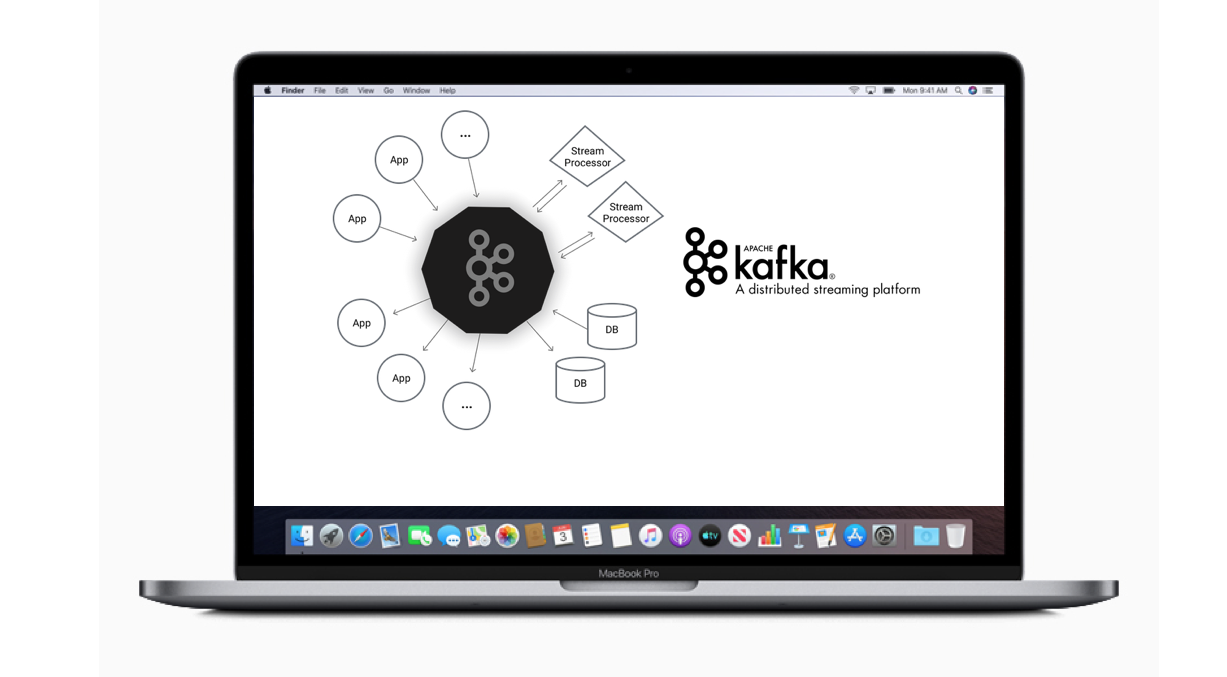
Apache Kafka has transformed the world of data streaming and event-driven architectures. In this blog, we’ll dive into Kafka’s fundamentals and build a step-by-step sample project to demonstrate its capabilities. This project will showcase Kafka’s distributed nature and streaming potential, giving you a practical approach to setting up, running, and testing a Kafka cluster on macOS. Table of Contents Kafka Basics What is Kafka Kafka System Architecture Kafka API Why Kafka Installing Kafka on macOS Basic Operations Starting Kafka and ZooKeeper Creating a Topic Sample Project: Kafka Real-Time Data Pipeline Project Structure Creating Producers and Consumers Testing the Kafka Pipeline Conclusion and Next Steps Kafka Basics What is Kafka Apache Kafka is a distributed publish-subscribe messaging system and a robust queue capable of handling high volumes of data. Built with scalability, reliability, and low-latency streaming in mind, Kafka can handle real-time data feeds in enterprise environments. Kafka’s unique storage layer makes it suitable for both offline and online message consumption by persisting messages on disk and replicating them within a cluster. Kafka System Architecture Kafka’s distributed architecture enables it to run as a cluster across multiple servers. It organizes messages into topics, where each message consists of a key, value, and timestamp. Kafka’s architecture includes: ZooKeeper: For managing Kafka brokers. Brokers: Handle data storage and distribution across the cluster. Producers: Publish messages to Kafka topics. Consumers: Subscribe to topics to process messages. Kafka API Kafka offers four core APIs: Producer API: Publishes streams of records to topics. Consumer API: Subscribes to topics and processes records. Streams API: Processes and transforms data within Kafka. Connector API: Integrates Kafka with external systems.   Why Kafka Kafka’s popularity stems from its robustness: Reliability: Kafka’s fault-tolerant, distributed nature makes it reliable for high-volume applications. Scalability: Kafka can scale horizontally without downtime. Durability: Kafka’s distributed commit log ensures data persistence. Performance: Kafka achieves high throughput for publishing and subscribing, even with TBs of data. Installing Kafka on macOS To install Kafka on macOS using Homebrew: bash Copy code $ brew install kafka If you lack ZooKeeper, this standalone Kafka installation will include the required dependencies. To update Kafka, run: bash Copy code $ brew update Basic Operations Starting Kafka and ZooKeeper Kafka requires ZooKeeper to coordinate between brokers. Start ZooKeeper: bash Copy code $ zkserver start Now, start Kafka: bash Copy code $ brew services start kafka Or start it explicitly from the Kafka directory: bash Copy code $ bin/kafka-server-start.sh config/server.properties Creating a Topic To create a topic for storing messages, run: bash Copy code $ bin/kafka-topics.sh –create –topic my-kafka-topic –zookeeper localhost:2181 –partitions 3 –replication-factor 2 This command configures my-kafka-topic with 3 partitions and a replication factor of 2. Sample Project: Kafka Real-Time Data Pipeline In this project, we’ll set up a basic real-time data pipeline using Kafka producers and consumers to simulate data flow through a Kafka topic. The goal is to send streaming data from a producer and receive it with a consumer in real-time. Project Structure sql Copy code kafka-real-time-pipeline/ │ ├── config/ │ ├── server.1.properties │ ├── server.2.properties │ └── server.3.properties │ ├── scripts/ │ ├── start-zookeeper.sh │ ├── start-kafka-brokers.sh │ ├── create-topic.sh │ ├── src/ │ ├── producer/ │ │ └── DataProducer.java │ └── consumer/ │ └── DataConsumer.java │ └── README.md config/: Configuration files for Kafka brokers. scripts/: Scripts to start services and create topics. src/: Source code for the producer and consumer applications. Step 1: Setting Up Brokers To demonstrate Kafka’s distributed nature, configure three brokers: Copy config/server.properties three times to server.1.properties, server.2.properties, and server.3.properties. Modify each file as follows: server.1.properties properties Copy code broker.id=1 listeners=PLAINTEXT://:9093 log.dirs=/tmp/kafka-logs1 server.2.properties properties Copy code broker.id=2 listeners=PLAINTEXT://:9094 log.dirs=/tmp/kafka-logs2 server.3.properties properties Copy code broker.id=3 listeners=PLAINTEXT://:9095 log.dirs=/tmp/kafka-logs3 Run each broker in separate terminals: bash Copy code $ bin/kafka-server-start.sh config/server.1.properties $ bin/kafka-server-start.sh config/server.2.properties $ bin/kafka-server-start.sh config/server.3.properties Step 2: Creating a Producer The producer application sends data to a Kafka topic. DataProducer.java: java Copy code import org.apache.kafka.clients.producer.KafkaProducer; import org.apache.kafka.clients.producer.ProducerRecord; import java.util.Properties; public class DataProducer { public static void main(String[] args) { Properties props = new Properties(); props.put(“bootstrap.servers”, “localhost:9093,localhost:9094,localhost:9095”); props.put(“key.serializer”, “org.apache.kafka.common.serialization.StringSerializer”); props.put(“value.serializer”, “org.apache.kafka.common.serialization.StringSerializer”); KafkaProducer<String, String> producer = new KafkaProducer<>(props); for (int i = 0; i < 10; i++) { producer.send(new ProducerRecord<>(“my-kafka-topic”, Integer.toString(i), “Message ” + i)); } producer.close(); } } Step 3: Creating a Consumer The consumer application reads data from the Kafka topic. DataConsumer.java: java Copy code import org.apache.kafka.clients.consumer.ConsumerRecords; import org.apache.kafka.clients.consumer.KafkaConsumer; import org.apache.kafka.clients.consumer.ConsumerRecord; import java.util.Properties; import java.util.Collections; public class DataConsumer { public static void main(String[] args) { Properties props = new Properties(); props.put(“bootstrap.servers”, “localhost:9093,localhost:9094,localhost:9095”); props.put(“group.id”, “test-group”); props.put(“key.deserializer”, “org.apache.kafka.common.serialization.StringDeserializer”); props.put(“value.deserializer”, “org.apache.kafka.common.serialization.StringDeserializer”); KafkaConsumer<String, String> consumer = new KafkaConsumer<>(props); consumer.subscribe(Collections.singletonList(“my-kafka-topic”)); while (true) { ConsumerRecords<String, String> records = consumer.poll(100); for (ConsumerRecord<String, String> record : records) System.out.printf(“Consumed message: %s%n”, record.value()); } } } Testing the Kafka Pipeline Start Producer: Run DataProducer to send messages to my-kafka-topic. Start Consumer: In another terminal, run DataConsumer to consume messages. Verify Output: Observe the consumer receiving messages in real-time. Conclusion and Next Steps In this blog, we’ve covered Kafka’s architecture, installation, and a real-time data pipeline project. For advanced exploration, consider adding multiple consumers, experimenting with different partition counts, and testing real-time data transformations using Kafka Streams. Apache Kafka remains a powerful, adaptable tool in data streaming, and this project demonstrates its potential in a scalable, distributed setup. Future blogs will dive deeper into advanced Kafka configurations and integrations with other data-processing frameworks.